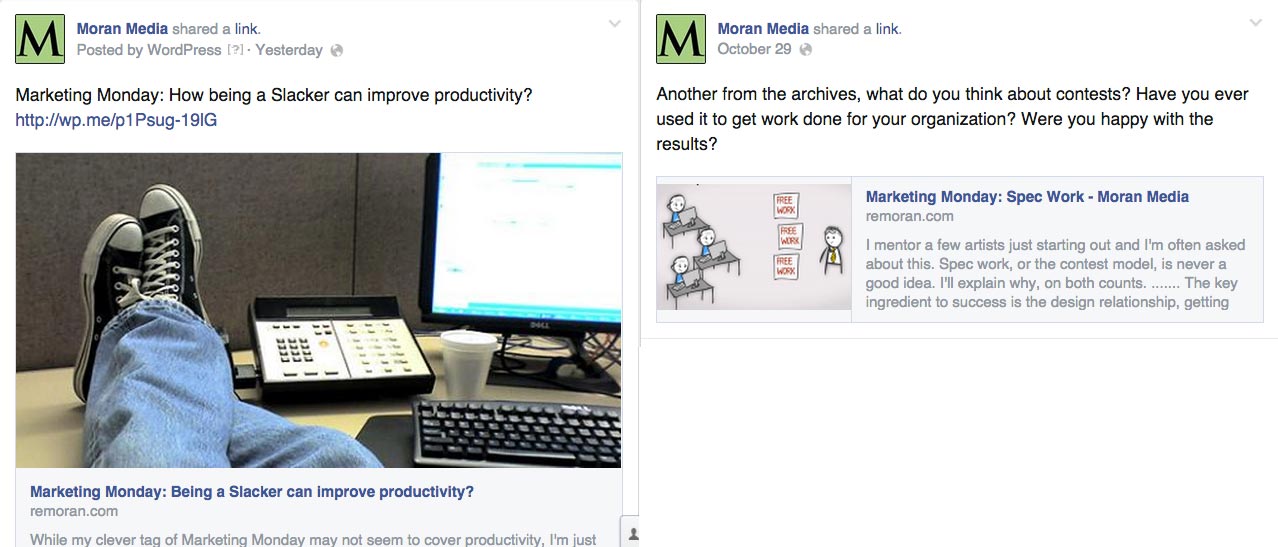
When you post to your blog, you can share to facebook, twitter, google plus, and other outlets there are small previews that show up on social media (as seen in the images above). Every few cycles it seems like things change, but for now, this is how posts on facebook look. You will notice that the posting on the left looks much more attractive, something you will want to click on more than the one on the right. (And if your post doesn’t have an image, the odds of people clicking it are pretty slim, people like pictures over just text). 
 How can you make facebook links look pretty like this?
I have discovered through trial and error that what you need to do is when you add an image to your blog post* you need to post the full size image, not the small or medium image. (as seen in the image to the left) This works best with images over 600 or 800 pixels in width. Using the featured image option in wordpress also helps. (As you can see from the image on the right.)
*Assuming you are using a wordpress install as your blogging platform which is what I recommend to all of my customers. If I built a website with blogging enabled, then it is built upon the wordpress software.
You can always change the image size once you posted into the blog post by clicking on the pencil icon on your image and typing in the size you want, as seen below.
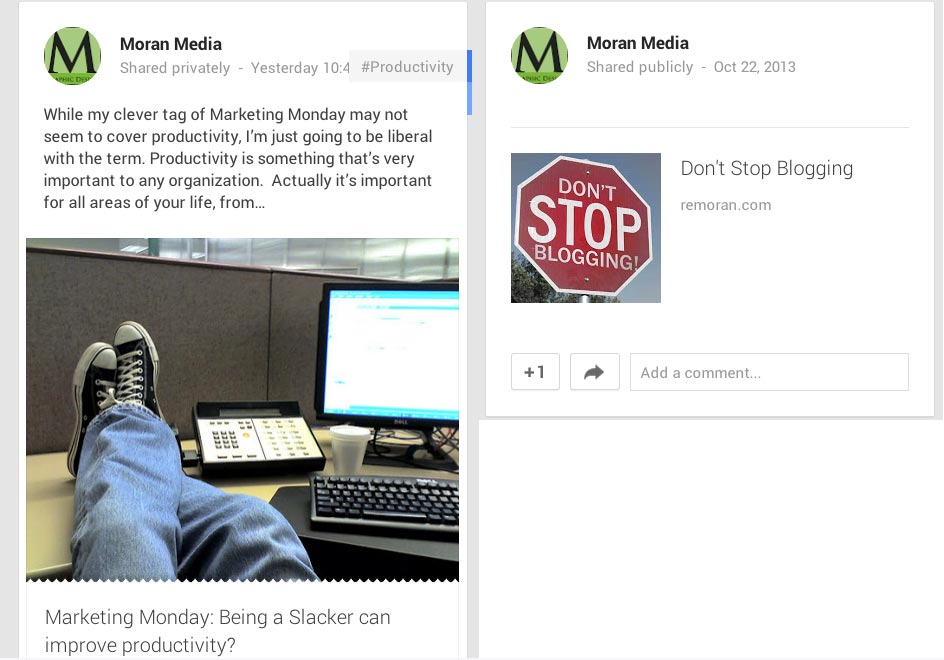
 This also works on tumblr and google plus, look below for the examples of both using the medium and the full size image formats. Thankfully twitter just handles all images the same way.

Any questions?


